
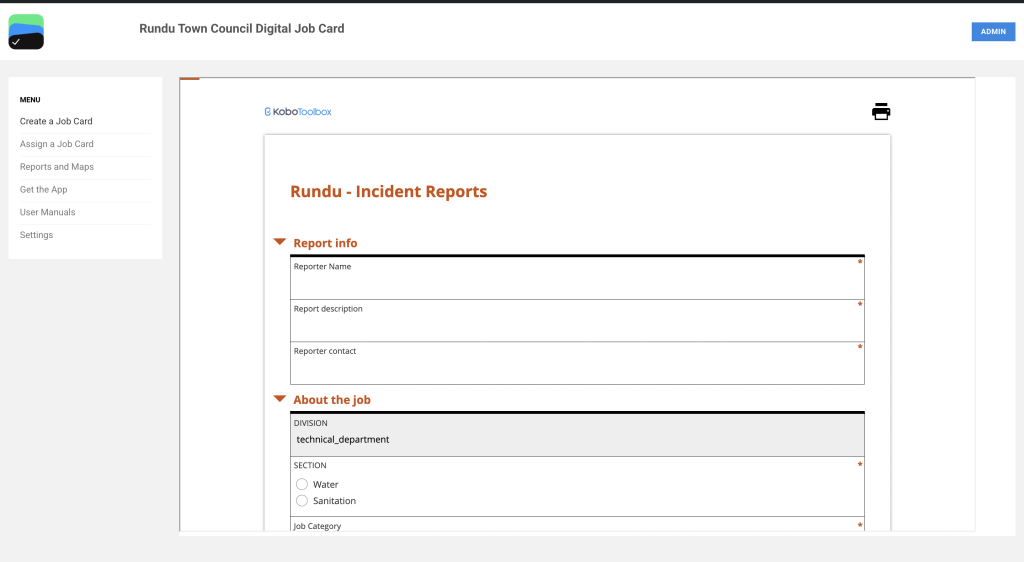
Step 1:
Open https://rundu.digitaljobcard.org/ then click on Assign a Job Card
After clicking on ‘Assign a Job Card’, you will be redirected to the login page. Please enter the provided credentials to access the job card form.
All users have been provided with user accounts and login credentials.
Enter your username and password, then click “SUBMIT” to access the Data Clerk view.
If you are using a personal computer, you may select Remember Me to save your login credentials and avoid entering them each time.
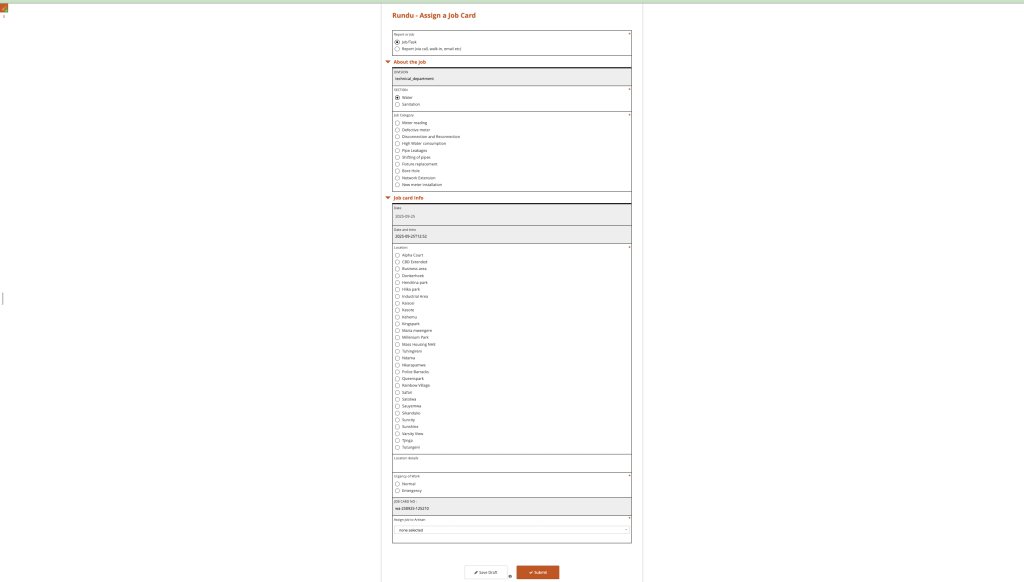
Step 2:
Complete the form with all the information
Fill in all the required fields.
Note: Fields marked with an asterisk (*) are mandatory and the form cannot be submitted unless these fields are completed.

Step 3:
The Save as Draft option allows you to temporarily save the information you’ve entered without submitting the job card. This is useful when you need to pause and complete the form later. If you wish to use this, click on the Save Draft button.
Note: Drafts are not considered final submissions and will not be processed until they are officially submitted.
To successfully save your work as a draft, enter a name for the record, then click “Save and Close” to store the draft.
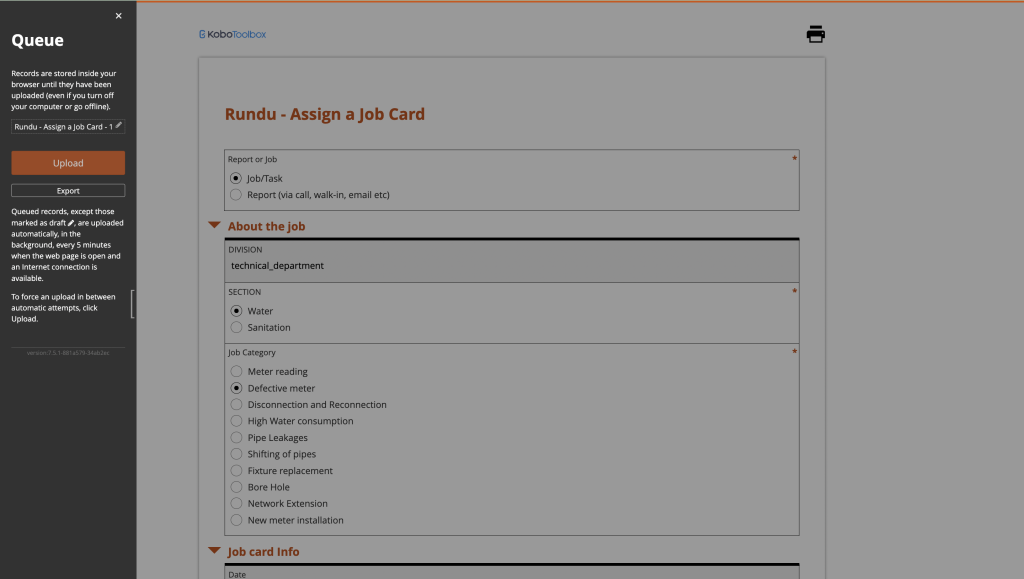
Step 4:
Finalize record later
The draft record is stored only within the current browser. You can close this browser without losing the stored record. Draft records can be accessed by reopening this page and clicking the button on the left of the screen. Warning: If you clear your browser cache, all draft and unsubmitted final records will be permanently deleted.
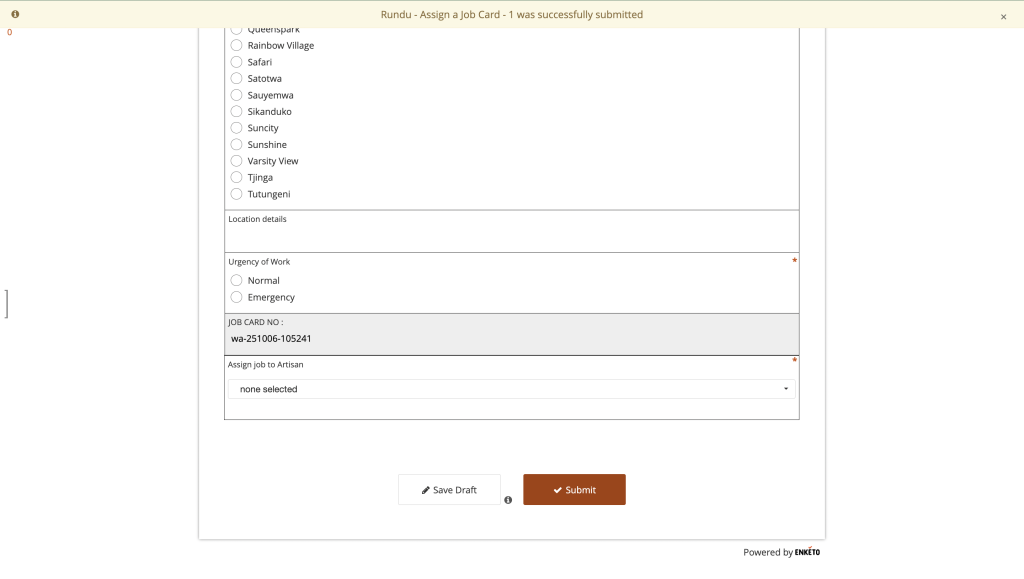
Step 5:
Submitting a job card
Click on the name of your record to reopen and edit the file. Once the digital job card is loaded, a notification will appear as an alert. After successfully editing the record, the user can proceed to submit it. The Submit button is used to finalize and send the completed job card for processing. Once all required fields are filled in and reviewed, click Submit to ensure the job card is recorded and forwarded to the appropriate team or supervisor for further action. If you have finalized your form and wish to submit, click on the Submit button. Note: After submission, the job card is considered final and cannot be edited. Ensure all information is accurate before submitting.


