
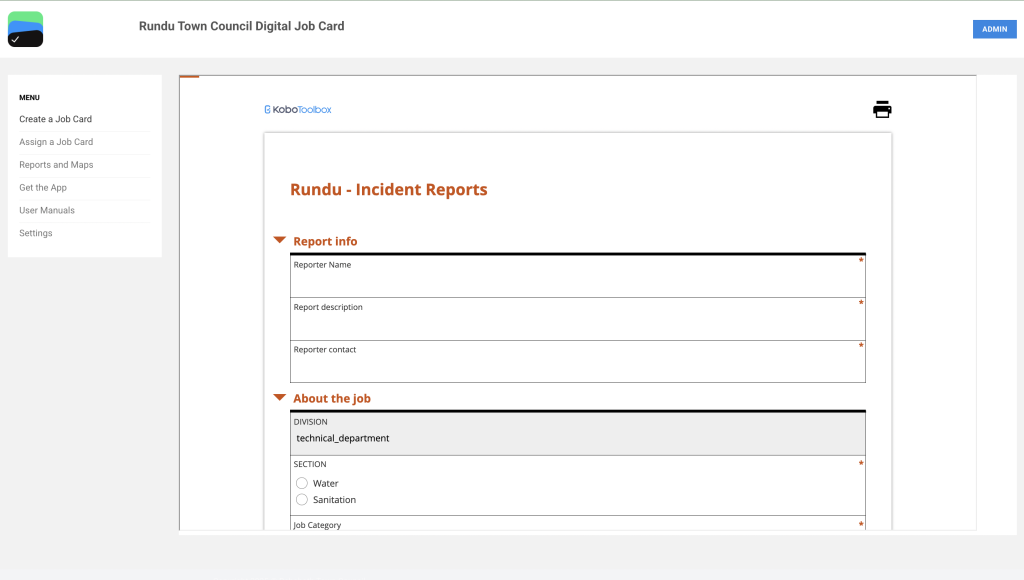
Step 1
Given the artisan has permission to assign job cards go to https://rundu.digitaljobcard.org/ to access the Digital Job Card web app. Navigate to Assign a Job Card, a Rundu Incident Report form will open up to fill in.
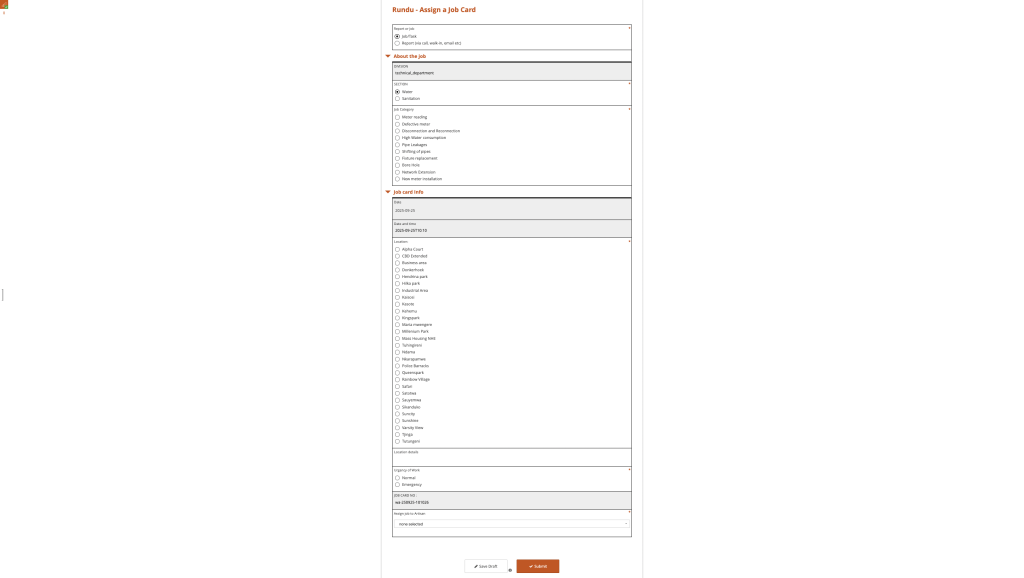
Step 2
Complete the report and assign it either to an artisan or to yourself. Once an incident report is created and assigned, it will automatically be added to the data list on the web application.
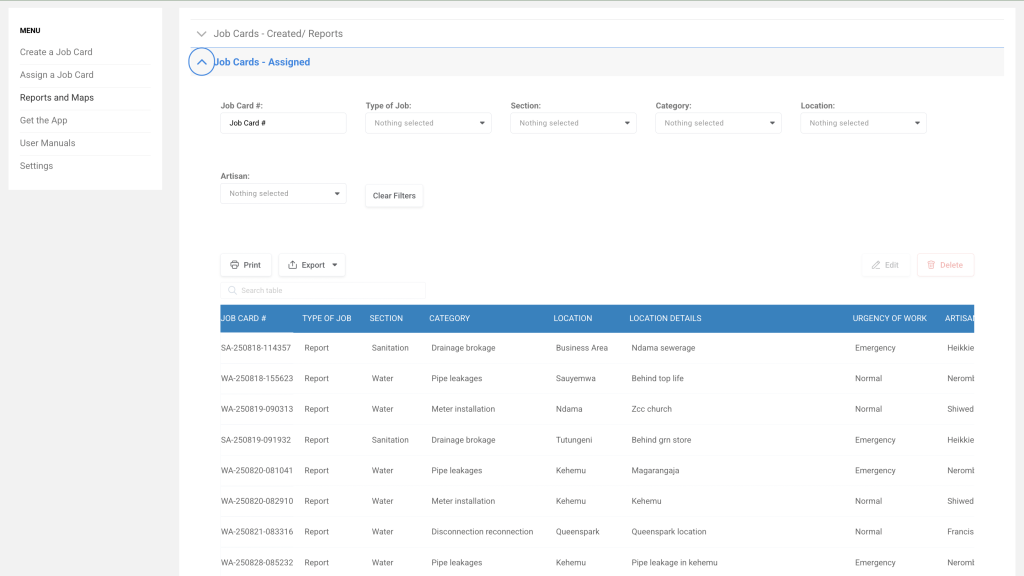
Step 3
Navigate to ‘Reports and Maps’ on the web application, select ‘Assigned Job Cards,’ and choose either the job card assigned to you or the one you wish to share. Copy the job card number and share it using the team’s agreed method (e.g., SMS, WhatsApp, email). The job card number appears as shown in red.
Note: This number is case-sensitive; copy it exactly as displayed.


