
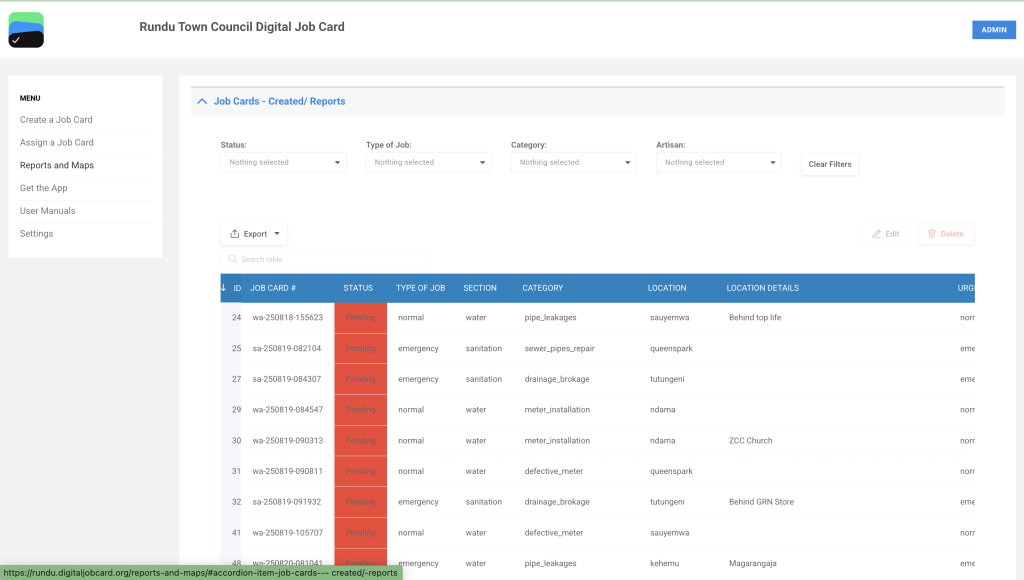
Go to https://rundu.digitaljobcard.org/ to access the Digital Job Card web app. Navigate to Reports & Maps. Select the dropdown Job Cards – Artisan Execution to see the list of Job Cards.

The Job Cards – Artisans Execution page displays a detailed table of job cards, providing essential information for each job. Users can filter the list by Urgency of Work, Job Category, Reported By, Department, and Location Type using the dropdown menus at the top. The table includes the following columns for each job card:
- Job Card #: Unique identifier for each job card.
- Urgency of Work: Shows the urgency level (all jobs listed are marked “Normal”).
- Reported By: Identifies the source of the report (e.g., Town Council Team).
- Department: Shows the department responsible (e.g., Electricity).
- Date Before Execution: Scheduled date for job execution.
- Location Type: Indicates whether the location is Private or Public.
- Block, Extension, GPS: Specific location details including GPS coordinates.
At the bottom of the page, there are Edit and Delete options for modifying or removing job cards. The Export button allows users to export the job card data.


