
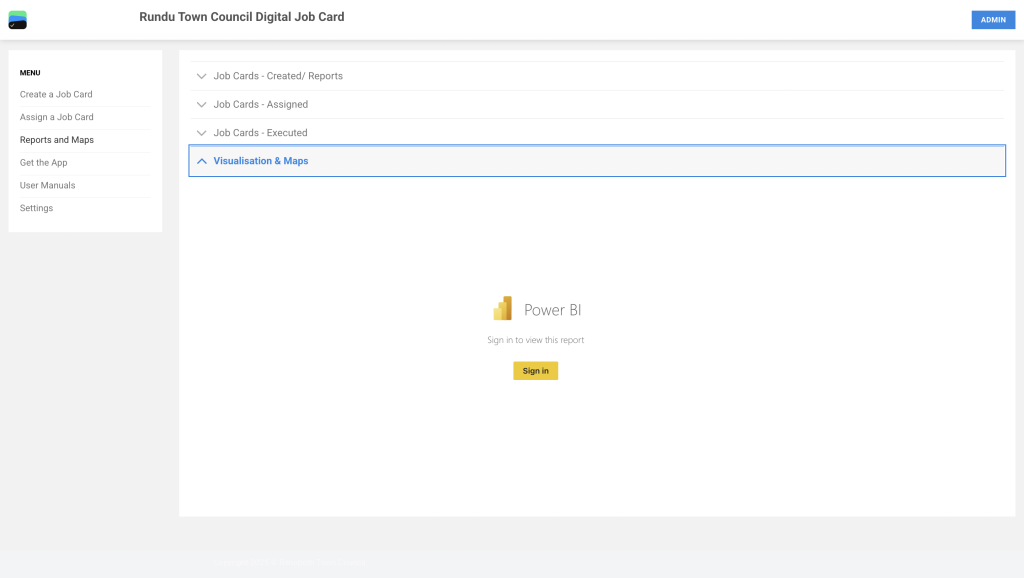
Go to https://rundu.digitaljobcard.org/ to access the Digital Job Card web app. Navigate to Visualization & Maps. Click on the yellow button to sign in and access the reports.
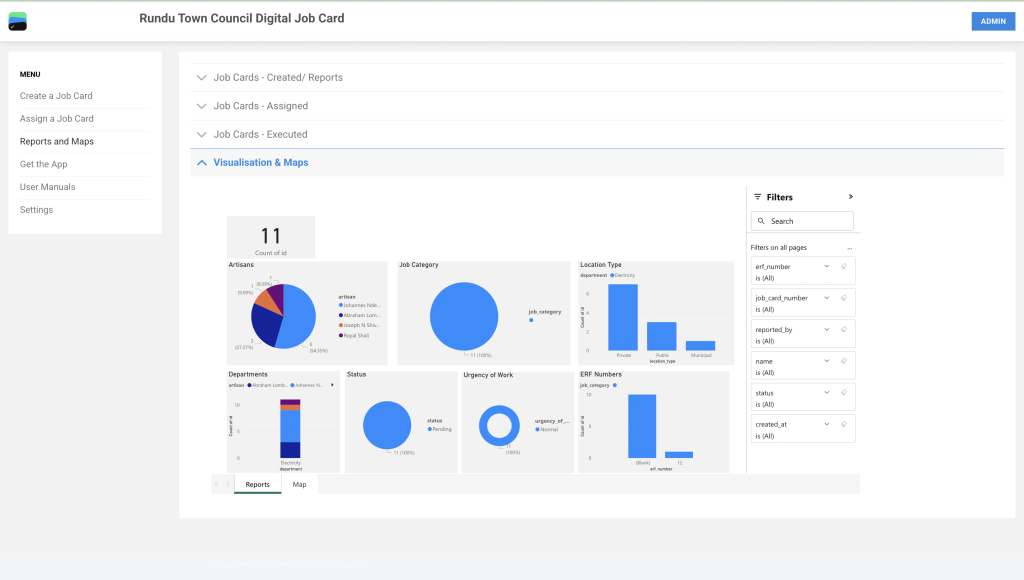
The Reports section of the Rundu Town Council Digital Job Cards system provides a visual summary of job card data for artisan execution. It includes charts showing the number of job cards, artisan assignments, job categories, departments, work locations, statuses, urgency levels, and ERF numbers. All current job cards are marked as pending and of normal urgency, with the majority assigned to the Electricity department. Users can apply filters such as status, artisan name, ERF number, and more to refine the displayed data. The dashboard offers both report and map views and is accessible from the main navigation menu.
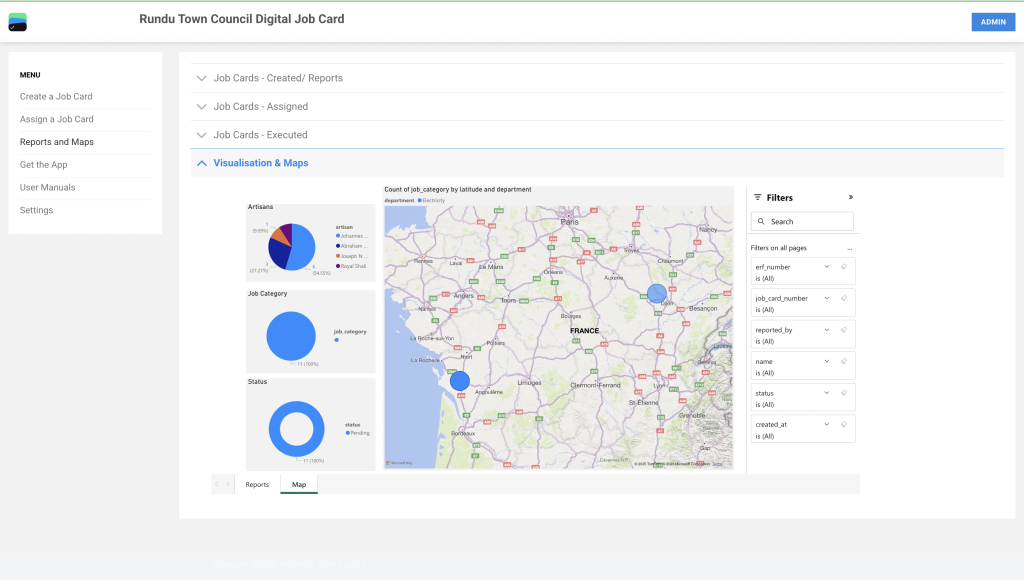
The Map View in the Reports & Maps section provides a geographical visualization of job card data by department and job category. Each bubble on the map represents the number of job cards in a specific location, categorized under the Electricity department. Supporting charts on the left show the distribution of work among artisans, job categories, and job statuses, with all current jobs marked as “Pending.” The right-hand panel allows users to filter data by fields such as job card number, status, ERF number, and date created. This view helps users understand the spatial distribution of ongoing job cards and monitor workload across different regions.


